

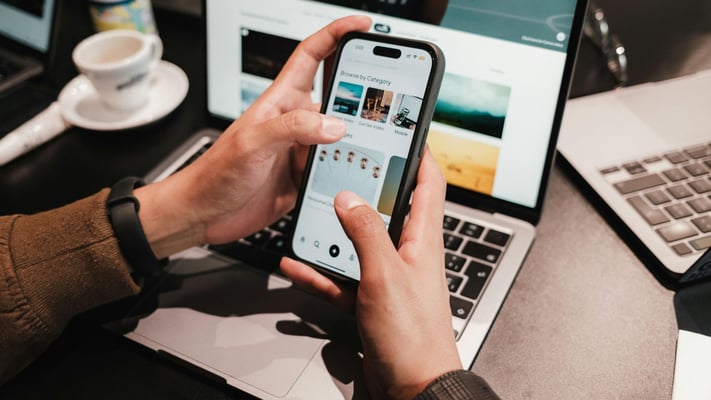

Is your smartphone spying on you?
Your smartphone knows more about you than you might think. It remembers where you've been, what you've searched for, the apps you use, and even your shopping habits. But does that mean it's spying on you?
Not exactly.
Most smartphones aren't secretly recording your conversations. Instead, they collect data that you knowingly—or sometimes unknowingly—allow them to access through app permissions and settings. Understanding how this works can help you take control of your digital privacy.
What Data Does Your Smartphone Collect?
Every day, your phone may collect information such as:
- Your location history
- Websites you visit
- Apps you use
- Search history
- Shopping habits
- Fitness activity
- Photos and videos
- Voice assistant requests
- Device information
- Contacts and calendars (if permission is granted)
-
On their own, these may seem harmless. Together, they create a detailed profile of your daily life.
Why Do Ads Feel Like They're Reading Your Mind?
Ever talked about a holiday and suddenly seen travel ads?
While many people believe their phones are constantly listening, experts say targeted advertising is usually based on your online behaviour—not your private conversations.
Your searches, website visits, social media activity, location, and shopping habits help algorithms predict what you're likely to be interested in.
The Hidden Risk: App Permissions
Many apps ask for access to your camera, microphone, contacts, or location.
Some permissions are necessary—but others aren't.
For example, a flashlight app doesn't need access to your contacts or microphone. Yet many users approve permissions without checking what they're allowing.
Taking a few minutes to review app permissions can significantly improve your privacy.
Your Location Is Always Working
GPS isn't the only way your phone knows where you are.
Even when location services are turned off, your device may estimate your location using Wi-Fi networks, Bluetooth, or mobile towers.
Many apps continue tracking your location in the background unless you disable this feature.
Are Free Apps Really Free?
Not always.
Many free apps earn money by collecting anonymous user data or displaying personalised advertisements.
You may not pay with money—but you often pay with your data.
Can Someone Actually Spy on Your Phone?
Yes—but usually through scams or malicious software, not your phone itself.
Cybercriminals may use fake apps, phishing links, or spyware to steal personal information.
Keeping your phone updated and downloading apps only from official app stores greatly reduces this risk.
7 Simple Ways to Protect Your Privacy
✔ Review app permissions regularly.
✔ Turn off location access for apps that don't need it.
✔ Use strong passwords and two-factor authentication.
✔ Keep your phone's software updated.
✔ Download apps only from trusted app stores.
✔ Delete apps you no longer use.
✔ Avoid clicking suspicious links or QR codes.
The Bottom Line
Your smartphone isn't secretly spying on every conversation—but it is constantly collecting data through the apps and services you use.
The real question isn't whether your phone collects information. It's whether you know what you're sharing and who you're sharing it with.
In today's digital world, protecting your privacy starts with understanding your settings. After all, the smartest smartphone is only as secure as the person using it.
Your smartphone knows more about you than you might think. It remembers where you've been, what you've searched for, the apps you use, and even your shopping habits. But does that mean it's spying on you?
Not exactly.
Most smartphones aren't secretly recording your conversations. Instead, they...
Your smartphone knows more about you than you might think. It remembers where you've been, what you've searched for, the apps you use, and even your shopping habits. But does that mean it's spying on you?
Not exactly.
Most smartphones aren't secretly recording your conversations. Instead, they collect data that you knowingly—or sometimes unknowingly—allow them to access through app permissions and settings. Understanding how this works can help you take control of your digital privacy.
What Data Does Your Smartphone Collect?
Every day, your phone may collect information such as:
- Your location history
- Websites you visit
- Apps you use
- Search history
- Shopping habits
- Fitness activity
- Photos and videos
- Voice assistant requests
- Device information
- Contacts and calendars (if permission is granted)
-
On their own, these may seem harmless. Together, they create a detailed profile of your daily life.
Why Do Ads Feel Like They're Reading Your Mind?
Ever talked about a holiday and suddenly seen travel ads?
While many people believe their phones are constantly listening, experts say targeted advertising is usually based on your online behaviour—not your private conversations.
Your searches, website visits, social media activity, location, and shopping habits help algorithms predict what you're likely to be interested in.
The Hidden Risk: App Permissions
Many apps ask for access to your camera, microphone, contacts, or location.
Some permissions are necessary—but others aren't.
For example, a flashlight app doesn't need access to your contacts or microphone. Yet many users approve permissions without checking what they're allowing.
Taking a few minutes to review app permissions can significantly improve your privacy.
Your Location Is Always Working
GPS isn't the only way your phone knows where you are.
Even when location services are turned off, your device may estimate your location using Wi-Fi networks, Bluetooth, or mobile towers.
Many apps continue tracking your location in the background unless you disable this feature.
Are Free Apps Really Free?
Not always.
Many free apps earn money by collecting anonymous user data or displaying personalised advertisements.
You may not pay with money—but you often pay with your data.
Can Someone Actually Spy on Your Phone?
Yes—but usually through scams or malicious software, not your phone itself.
Cybercriminals may use fake apps, phishing links, or spyware to steal personal information.
Keeping your phone updated and downloading apps only from official app stores greatly reduces this risk.
7 Simple Ways to Protect Your Privacy
✔ Review app permissions regularly.
✔ Turn off location access for apps that don't need it.
✔ Use strong passwords and two-factor authentication.
✔ Keep your phone's software updated.
✔ Download apps only from trusted app stores.
✔ Delete apps you no longer use.
✔ Avoid clicking suspicious links or QR codes.
The Bottom Line
Your smartphone isn't secretly spying on every conversation—but it is constantly collecting data through the apps and services you use.
The real question isn't whether your phone collects information. It's whether you know what you're sharing and who you're sharing it with.
In today's digital world, protecting your privacy starts with understanding your settings. After all, the smartest smartphone is only as secure as the person using it.


Leave a Comment